Award in PX3 WHITE: COLOR TRILOGY PHOTOGRAPHY COMPETITION, 2015
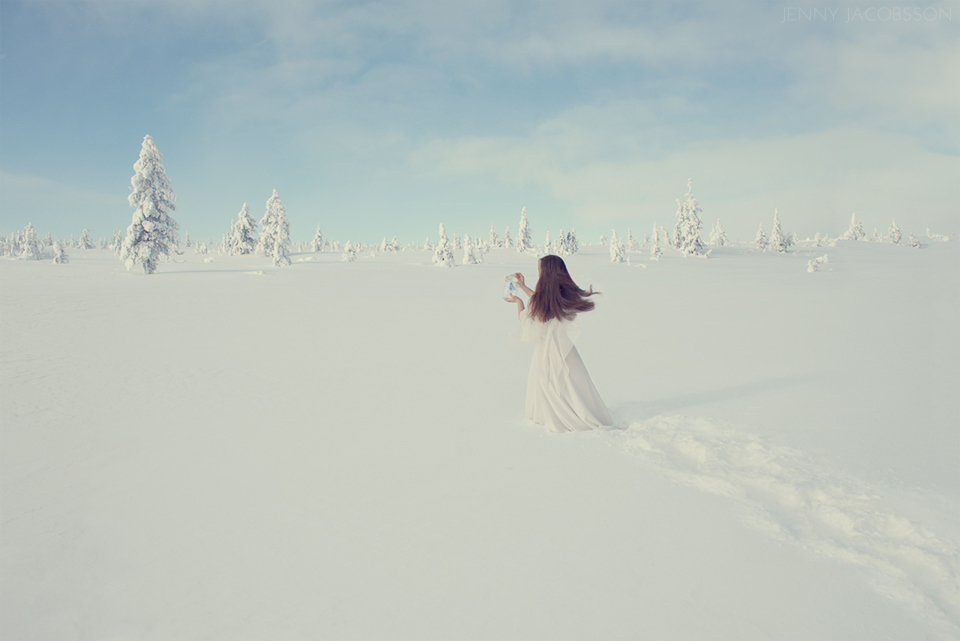
“Jenny Jacobsson of Sweden was Awarded for the entry entitled, “The sentence”. The jury selected winners from thousands of photography entries from over 85 countries.”
The prestigous PX3 Prix de la Photographie Paris conducts a three-color themed competition and this year’s theme was white. The competition is inspired by and in tribute to polish fimmaker Krzysztof Kieslowski’s 1990s ‘Three colors’ trilogy.
I’m happy to announce that my image ‘The sentence’ from series ‘Parallels‘ was awarded with an Honorable Mention.
ABOUT Px3: The “Prix de la Photographie Paris” (Px3) strives to promote the appreciation of photography, to discover emerging talent, and introduce photographers from around the world to the artistic community of Paris. Website: px3.fr
‘The sentence’ is part of my series ‘Parallels’ and was shot in Sälen, Sweden. We were there on a skiing holiday with my family, but being me I just couldn’t let this breathtaking landscape be out there without being photographed.
“The cold got me thinking about for how little time you would actually survive out there without any cover or extra warmth. And this story came to me about an entity, light as snow but with a deadly darkness, executing a sentence leading to certain death.“
It was oh so cold outside (about -15° Celsius) so to be standing still or to take off your protective clothing was not a nice experience. So the day before the shoot I planned the story carefully, making my doodle sketches with the composition, placement of the woman and in what direction she should be releasing her butterfly.
On the day of the shoot we set out to find the right location. I wasn’t completely happy with the first test shoot location so we went higher up on the mountain and found this desolate vast expanse of snow. The sun was shining while setting up, Andreas being very helpful in letting me know when I was at the planned position, but before I even got my protective clothes off the clear weather changed to overcast. And actually, I liked the mysterious feeling that was created in the shift. All the planning in the world can’t master the weather so instead I let the story form around what was provided.
I hope you enjoy the portrait! X Jenny
PS. I must say this hot chocolate and waffle treat was well deserved after getting back into a warm house!
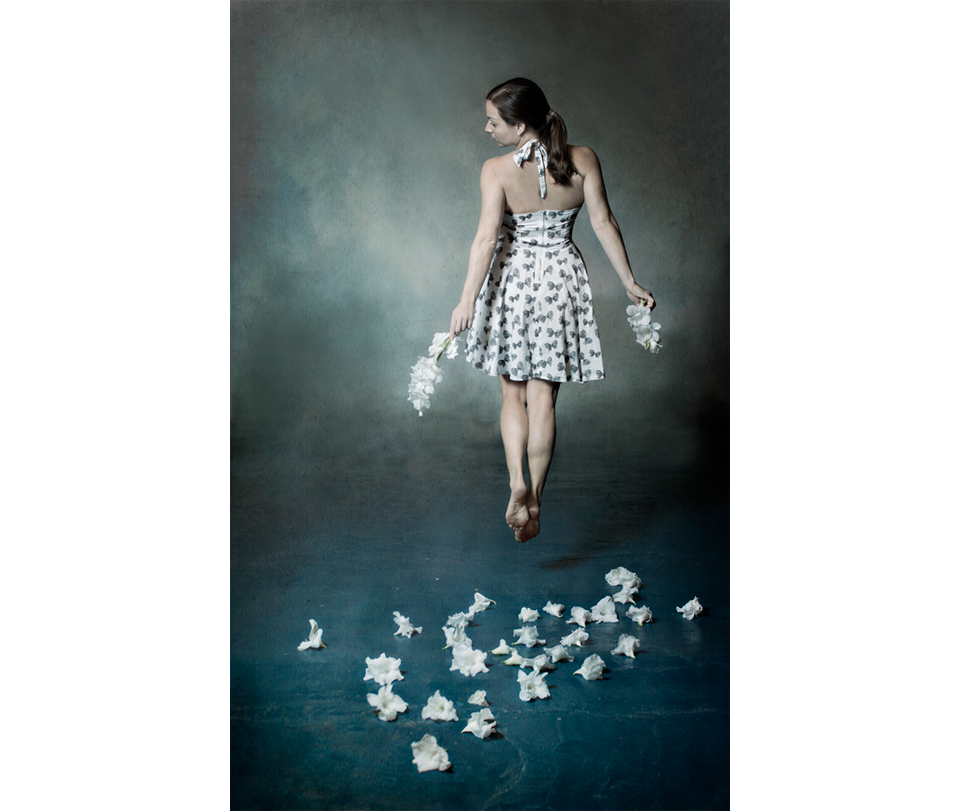
And so it was time to answer the next question from my dear readers, and this one is from the delightful Anders Bergkvist, who wrote me a comment in You ask, I tell – The Force of Nature where he wondered “How did you create the levitating impression of your first Flickr Explore image?”(above).
THE PROBLEM
If you’ve ever tried to make a proper jump you probably noticed that it’s difficult to get some distance from the ground at the same time making it look relaxed and without pulling your face. Unless you are perhaps a trained dancer or gymnast. And trust me… I’m certainly not…
LEVITATION AND MONTAGES
Levitation can of course be created in several ways. Like in all photography a good goal to create a realistic effect is to always capture as much as you can in camera, and try to avoid unnecessary manipulation. Since our mind and eyes are really good at noticing if something fishy is going on and if light and shadows don’t add up, it’s quite hard to put a montage together and there are a lot of things to be considered (more about that in a future post).
If I had been graceful enough (and believe me, I’m not) I would have performed this little jump and at the same time managed to pose and turn my torso slightly to create the body shape I was after. I tried, but I can assure you you wouldn’t be pleased with the result.
IMAGES NEEDED TO BE SHOT
Although for this shot I was a bit lucky, or at least I made it quite easy for myself since I didn’t want to levitate beyond belief. I just wanted to take off a little from the ground, like I was floating away. So I needed to shoot images with:
1) stretched legs and pointed toes
2) the shadow on the ground created by the jump
3) the upper body, relaxed and twisted the way I wanted with the face also relaxed and eyes on the ground
PHOTOSHOP PROCESS
After having shot two kinds of shots, one where I took a little jump trying to create good legs, and one kind where I was happy with my upper body, I opened my files in Photoshop. The two images that I’d chosen was put in two different layers on top of each other. Since the upper body layer needed to be placed a bit higher to match my waist, I moved this layer upwards until it fit (you can see how much I moved it in the 2nd image below if you look closely, on the line between the floor and the wall).
When this was done, I hid the “bad legs” from the upper body layer by painting black in my layermask, revealing the jumping legs from the layer below. So that you can this see better, in the 3rd image below I lowered the opacity of the upper body layer so that you can to see the two images together at once (I look a bit like a ghost).
To finish there were a few details that needed to be clone stamped or patched to make everything seemless in the dress, but that was about it for the levitation effect.
So by adding two or more different images into one, you can create the most incredible effects. Give it a try and have some fun with it!
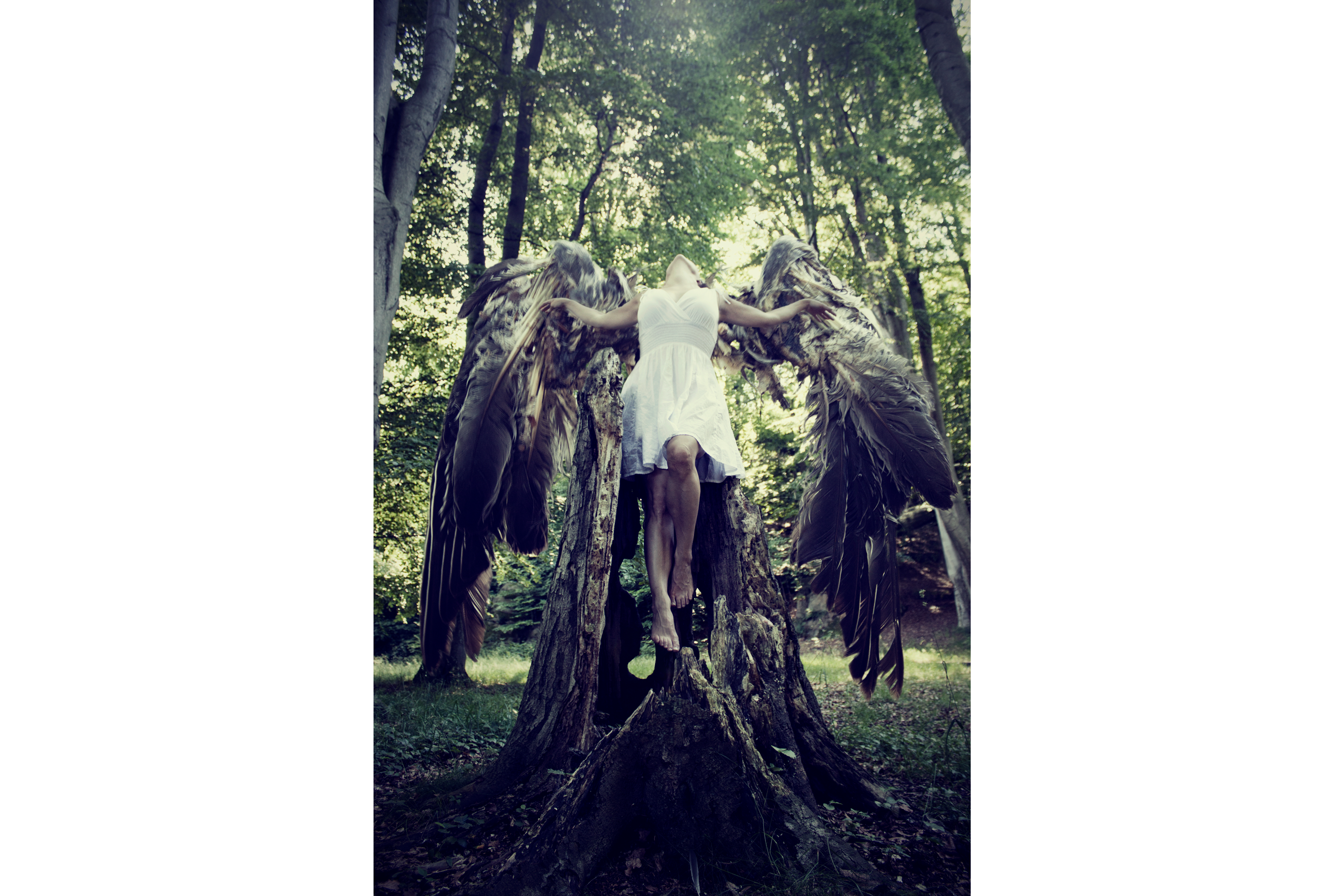
Welcome to my very first Behind the Scenes! “Broken Wings” derives from a summer’s day when I was taking a walk and my eyes got caught on these semi-decomposed bird wings among the leaves on the ground. And my instinct was of course that I had to wear them! Even though they would only fit a person 40 cm tall…
But since I’m a very stubborn girl I resisted the terrible stench reeking out from them, poked sticks under the “armpits” of the post-bird, and walked around the forest to find a good location.
Luckily it didn’t take long before I ran into this tree stump. The stump was big enough to fit me in it and also it provided a good spot for a levitation trick. Even though the wings were broken I had to at least try to fly with them.
Below, I’ll take you through both the SHOOTING PROCESS and the PHOTOSHOP PROCESS
SHOOTING PROCESS
So I needed three shots to be able to create a girl with wings trying to fly from a tree stump.
1) THE UPPER BODY AND ARMS I put my camera on my tripod, climbed the stump and flung around it in different positions, shooting myself using my Canon RC-1 wireless remote control. Climbed back down, ran to the camera to check on the poses and angles, and ran back to the stump to create better ones. This kept on until I felt like I had been through a tough yoga session and I had a shot I was happy with.
2) THE LEGS To create that levitation look I needed to lift my legs off the stump, not touching it at all with my legs. So back up on the stump I let myself into the same position as in the shot I had chosen, held my body up with my arms and released the legs.
3) THE WINGS were a lot trickier since they were so small (and also very fragile and risked of falling apart any second). Still having the wings on sticks, I first tried to get the correct perspective by putting the wings in the proper place behind the stump with the aim to increase their size later on. Although, I wasn’t happy with the details so instead I tried to lift them in front of and close to the camera. For this part it is very important to keep the same focal length even if the subject is moved around. I was happy with these images and I was done shooting.
“Let me make a note that all this was going on with people walking by… looking like they were going to call the police for them to come get that crazy bird woman running around in the woods with wings, looking like she would need a strait-jacket…“
PHOTOSHOP PROCESS
In Photoshop I combined the two images of the girl in the forest by using the first shot as a main layer, masking over “the wrong legs” and letting through the levitated legs from underneath with some modifications.
After that I cut out one wing at a time, pasted them on the forest image, corrected their positions and angles and let the arms and body of the girl in front of the wings.
For me the story is sad and moody, so I wanted the tone and color of the final image to convey that feeling. I worked with blues and darks and decreasing the yellow in the greens. Some more tweaking and adjustments and VOILÀ!
BROKEN WINGS
A lot of work, full of aches, and marked as a crazy bird woman, but at least I got to wear a dead bird’s wings…